Post: Get Chrome Notifications for MeisterTask Comments
How to Get Google Chrome Notifications for New MeisterTask Comments
Introduction to MeisterTask and Its Importance
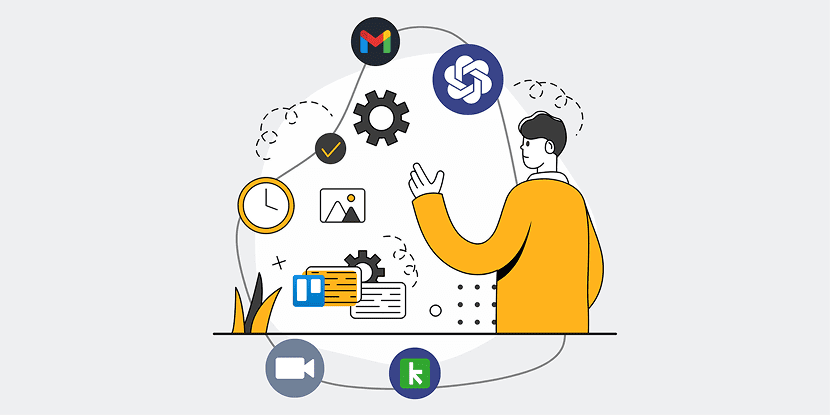
MeisterTask is a popular project management tool that allows teams to collaborate efficiently by organizing tasks in a streamlined manner. With its user-friendly interface and powerful features, it has become an essential tool for businesses and individuals alike. But what’s a tool without some nifty integrations, right?
One such integration is the ability to receive Google Chrome notifications for new comments in MeisterTask. If you haven’t explored this feature yet, hold on tight! Integrating task-related notifications ensures that you don’t miss important updates, keeping your projects on track without having to constantly check your task lists manually.
Understanding Google Chrome Notifications
Google Chrome notifications are a great way to stay informed about the latest updates without having to open the app or website constantly. Essentially, these notifications pop up in your browser to instantly alert you to new activity. They are like little nudges saying, “Hey, this just happened!”
By utilizing Chrome notifications for MeisterTask comments, you can ensure real-time updates flow directly to your desktop, making it easier than ever to respond promptly. Imagine sipping your coffee while your browser does all the alerting work for you – that’s the beauty of browser notifications!
The Benefits of Integrating MeisterTask with Chrome Notifications
Integrating MeisterTask with Chrome notifications brings several advantages that can supercharge your productivity. First, it eliminates the need to manually check the platform for updates, allowing you to focus more on your core tasks. This means more time for innovation and less time wasted in mundane checks.
Moreover, receiving instant alerts helps in maintaining clear communication within your team. Everyone stays in the loop, ensuring no comment falls through the cracks. This integration serves as a vigilant assistant, ensuring you’re always one step ahead in managing your projects efficiently.
Step-by-Step Guide to Set Up Google Chrome Notifications
Setting up Google Chrome notifications for MeisterTask comments is a straightforward process. Start by ensuring you’ve got the necessary extensions and permissions set in place. This involves allowing notifications from Chrome and installing any required add-ons specific to MeisterTask.
Once done, navigate to your MeisterTask account and access the settings for notification preferences. Here, link your Chrome browser to MeisterTask, ensuring that notifications are enabled for new comments. It’s like setting up a direct line from your task manager to your screen – simple yet highly effective!
Troubleshooting Common Issues
Sometimes technology likes to throw a curveball, doesn’t it? If you find that your notifications aren’t coming through as expected, don’t panic. Start by checking if your Chrome has notification permissions turned on for MeisterTask. Often, a simple toggle can resolve most hiccups.
If issues persist, consider restarting your browser or even reinstalling any extensions involved in the notification setup. Remember, even the best of us need a reset now and then, and so do our browsers!
Tips to Maximize Productivity with MeisterTask Notifications
Now that your notifications are set up, the next step is to leverage them to boost productivity. Start by customizing which notifications are most pertinent to your role. Not every ping is a priority, right? Tailor what you want to see so that your workflow remains uninterrupted.
Additionally, if you find yourself inundated with notifications, establish periods during your day where notifications are muted, allowing for focused work sessions. Balance is key – sometimes we need a break from all the digital chatter!
Conclusion
Integrating Google Chrome notifications with MeisterTask is more than just a convenience; it’s a game-changer for those striving to stay on top of their projects. By ensuring you’re always informed and ready to act on new comments, you’ll find managing teamwork and project timelines becomes significantly smoother.
Next time you see that familiar notification pop up, you’ll know it’s a reminder that you’re ahead of the game, ready to tackle whatever your project throws your way with confidence and clarity.
FAQs
How do I enable notifications for MeisterTask in Chrome?
To enable notifications, go to Chrome settings, click on ‘Privacy and Security’, select ‘Site Settings’, and then ‘Notifications’. Ensure that MeisterTask is allowed to send notifications from this menu.
Why are my MeisterTask notifications not appearing?
Check if notifications are blocked in your Chrome settings. Also, verify that your network connection is stable and that your Chrome browser is up-to-date. Sometimes a quick refresh or restart might solve the issue.
Can I customize which notifications I receive from MeisterTask?
Yes, you can customize notifications in the MeisterTask settings under ‘Notification Preferences’. Select the types of updates you wish to be notified about, tailoring them to suit your workflow.
Do Chrome notifications for MeisterTask work offline?
No, Chrome notifications require an active internet connection to fetch and display updates from MeisterTask. Offline notifications are not supported at this time.
Does enabling notifications affect my device’s performance?
Generally, notifications have a minimal impact on performance. However, if you receive a high volume of them, it could potentially slow down older devices. Monitor the volume and adjust settings as needed for optimal performance.
RELATED POST