

Post: Case Study: 25% Recruitment Cost Reduction via AI Pre-Screening
A Global Manufacturing Firm’s Journey to Cutting Recruitment Costs by 25% Through Automated Pre-Screening
Recruitment is the lifeblood of any growing enterprise, yet for many global firms, it represents a significant and often escalating operational cost. The sheer volume of applications, the manual effort in screening, and the inherent inefficiencies in traditional hiring processes can drain resources and delay critical hires. This case study details how Nexus Global Manufacturing, a multinational leader in industrial components, partnered with 4Spot Consulting to overhaul their recruitment strategy, leveraging AI-powered automation to achieve a remarkable 25% reduction in recruitment costs and significantly streamline their talent acquisition.
Client Overview
Nexus Global Manufacturing (NGM) is a titan in its industry, operating across five continents with a workforce exceeding 50,000 employees. Their diverse portfolio of products necessitates a continuous influx of specialized talent, ranging from highly skilled engineers and R&D scientists to supply chain experts and sales professionals. Annually, NGM processes hundreds of thousands of job applications across various roles and geographies. Their recruitment operations are centralized but executed regionally, leading to variations in process and inconsistent application of best practices.
Despite their established global presence, NGM faced challenges common to many large organizations: maintaining efficiency and consistency at scale. Their HR department, while robust, was increasingly burdened by the sheer volume of administrative tasks inherent in high-volume recruitment. The manual screening of resumes, initial candidate communications, and scheduling preliminary interviews consumed a disproportionate amount of their recruiters’ valuable time, diverting focus from strategic talent engagement and relationship building.
The Challenge
Prior to engaging 4Spot Consulting, Nexus Global Manufacturing grappled with several critical issues impacting their recruitment efficacy and budget:
-
Exorbitant Recruitment Costs: NGM’s expenditure on external agencies, internal recruiter hours dedicated to manual screening, and overheads associated with long hiring cycles were substantial. The cost-per-hire was rising, directly impacting their bottom line and talent acquisition ROI.
-
Inefficient Manual Pre-Screening: Recruiters spent countless hours sifting through resumes, often for basic qualification checks. This process was prone to human error, introduced unconscious bias, and led to significant delays in moving qualified candidates through the pipeline. A large percentage of applications, even those from reputable sources, required manual validation that could be automated.
-
Long Time-to-Hire: The extensive manual screening process contributed to a prolonged time-to-hire, causing NGM to miss out on top talent who were often snatched up by faster-moving competitors. Delays also meant critical roles remained unfilled for longer, impacting productivity and project timelines.
-
Inconsistent Candidate Experience: With varied regional processes and manual touchpoints, the candidate experience was inconsistent. Delays in communication or generic responses often led to a poor perception of the NGM brand, potentially deterring future applicants.
-
High Volume, Low Value Work: NGM’s highly skilled recruitment professionals were bogged down by repetitive, administrative tasks that did not leverage their expertise in candidate engagement, assessment, and negotiation. This created a bottleneck, limited their capacity for strategic initiatives, and contributed to recruiter burnout.
NGM recognized that these challenges were not merely operational hurdles but strategic impediments to their continued growth and innovation. They needed a solution that could not only alleviate the administrative burden but also introduce a scalable, cost-effective, and bias-reduced pre-screening mechanism across their global operations.
Our Solution
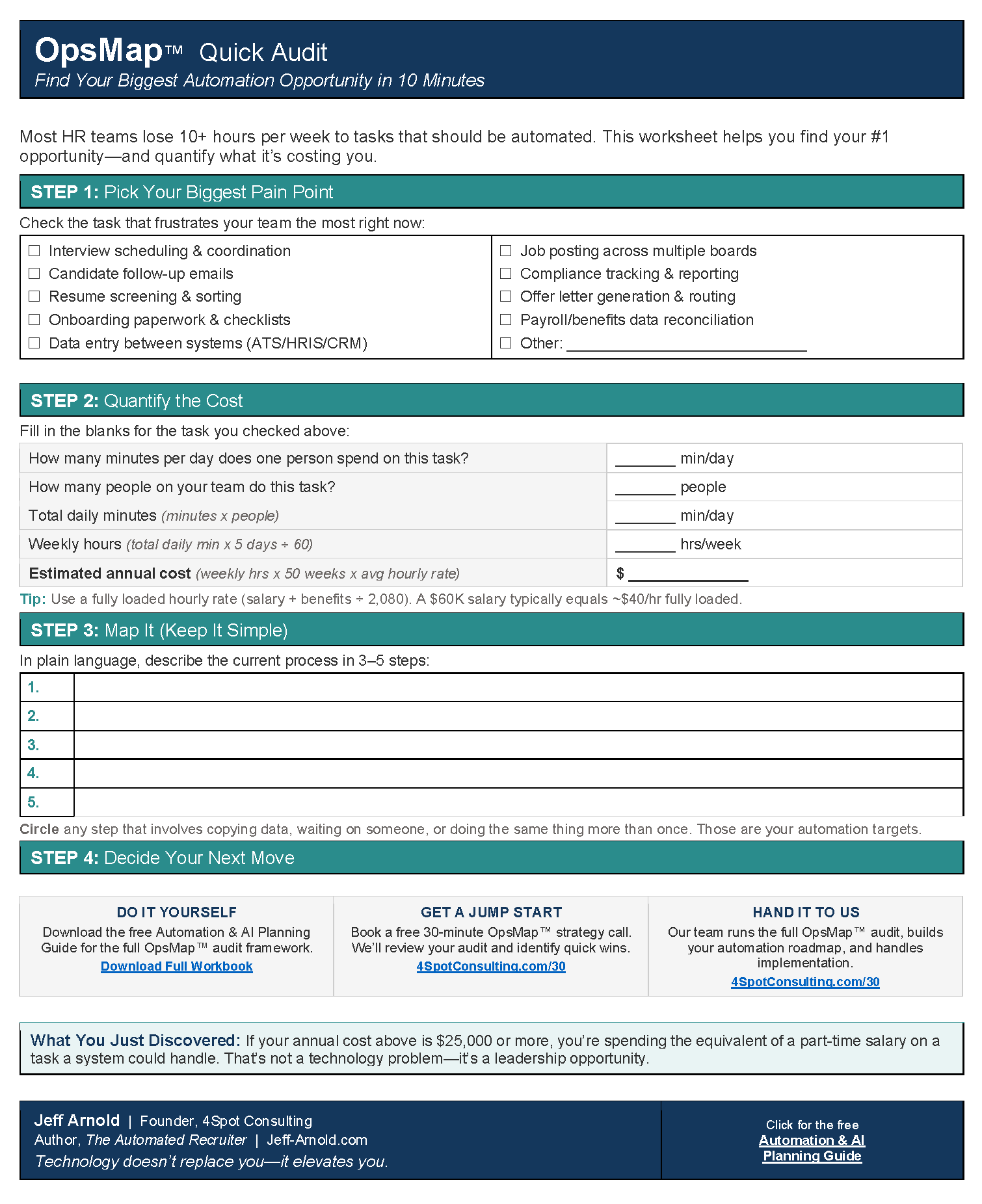
4Spot Consulting approached Nexus Global Manufacturing’s complex challenge with our signature strategic-first methodology, beginning with an OpsMap™ diagnostic. This comprehensive audit allowed us to meticulously map NGM’s existing recruitment workflows, identify critical bottlenecks, and uncover precise opportunities where automation and AI could deliver the most significant impact and ROI. Our objective was not just to introduce technology, but to fundamentally transform their pre-screening process into a highly efficient, intelligent, and scalable system.
The core of our solution centered on implementing a robust, AI-powered automated pre-screening system, orchestrated through Make.com, and integrated seamlessly with NGM’s existing Applicant Tracking System (ATS) and HR Information System (HRIS). The solution encompassed:
-
AI-Powered Resume Parsing and Scoring: We implemented an AI engine capable of automatically parsing incoming resumes, extracting key data points (skills, experience, education, certifications), and then scoring candidates against predefined, customizable job-specific criteria. This moved beyond keyword matching to contextual understanding, ensuring a more accurate and nuanced assessment of fit.
-
Automated Qualification Questionnaires: For roles requiring specific qualifications or cultural fit assessments, we designed dynamic, automated questionnaires. Candidates who met initial AI screening criteria were automatically invited to complete these, with their responses then fed back into the scoring model, further refining their suitability.
-
Intelligent Candidate Communication: Leveraging Make.com, we automated personalized email communications for various stages: acknowledgment of application, invitation for questionnaires, status updates, and even initial rejection notices for non-qualified candidates. This ensured timely, consistent communication, significantly improving the candidate experience while reducing recruiter workload.
-
Streamlined CRM Integration: Qualified candidates, as determined by the automated pre-screening, were automatically moved into NGM’s CRM (e.g., Keap or a similar platform for talent pooling) with enriched data, allowing recruiters to engage with a high-quality, pre-vetted pipeline.
-
Bias Reduction Protocols: A critical component was the design of the AI algorithms and scoring rubrics to minimize inherent human bias. By focusing on objective, measurable criteria and anonymizing certain candidate data during initial screens, we aimed to promote a more equitable evaluation process.
-
Scalable Infrastructure: The entire solution was built on a flexible, scalable architecture using Make.com, ensuring it could adapt to NGM’s fluctuating hiring volumes and expand across different regions and business units without requiring significant redevelopment.
Our approach was not about replacing recruiters, but empowering them. By offloading the low-value, high-volume task of initial candidate screening to an intelligent automated system, NGM’s talent acquisition team could refocus their energy on what they do best: building relationships, conducting in-depth assessments, and strategically sourcing top-tier talent. The goal was to transform their recruitment process from a reactive, manual exercise into a proactive, data-driven, and highly efficient talent magnet.
Implementation Steps
The successful deployment of Nexus Global Manufacturing’s automated pre-screening system was a testament to 4Spot Consulting’s structured OpsBuild™ framework. This methodical approach ensured a smooth transition and robust integration, minimizing disruption to NGM’s ongoing operations.
-
Phase 1: Deep Dive and Strategy (OpsMap™)
-
Stakeholder Interviews: Conducted extensive interviews with NGM’s HR leadership, regional talent acquisition teams, and hiring managers to understand their specific needs, challenges, and desired outcomes. This helped us identify key decision points and critical data fields.
-
Workflow Mapping: Mapped NGM’s current “as-is” recruitment processes, from application submission to interview scheduling, identifying all manual touchpoints and data transfer inefficiencies.
-
Technology Assessment: Analyzed NGM’s existing tech stack (ATS, HRIS, communication platforms) to determine compatibility and identify integration requirements. This phase confirmed Make.com as the ideal orchestration layer.
-
Requirements Definition: Collaborated with NGM to define precise technical and functional requirements for the automated pre-screening system, including specific scoring criteria for different job families and compliance considerations.
-
-
Phase 2: Solution Design and Prototyping
-
Architecture Design: Developed a detailed architectural blueprint for the automation, outlining data flow, API integrations, and the interaction between the AI engine, Make.com, ATS, and communication tools.
-
AI Model Training Strategy: Defined the strategy for training the AI parsing and scoring models, including data sourcing, anonymization protocols, and continuous learning mechanisms to improve accuracy over time.
-
UX/UI for Recruiter Dashboard: Designed a user-friendly dashboard for NGM’s recruiters, providing clear visibility into the pre-screened candidate pipeline, scoring, and automated communications.
-
Pilot Program Definition: Selected specific job families and regions for an initial pilot program to test the solution in a controlled environment.
-
-
Phase 3: Development and Integration (OpsBuild™)
-
Make.com Scenario Development: Built and configured the complex Make.com scenarios responsible for orchestrating the entire workflow: receiving applications, triggering AI parsing, initiating qualification questionnaires, updating ATS records, and sending automated communications.
-
API Integrations: Developed and secured custom API integrations between Make.com, NGM’s ATS (e.g., Workday), CRM (e.g., Keap), and the AI parsing engine.
-
AI Model Deployment: Deployed the pre-trained AI models for resume parsing and scoring, ensuring robust performance and scalability.
-
Data Migration & Synchronization: Ensured seamless, real-time data synchronization between all connected systems, maintaining data integrity and a single source of truth for candidate information.
-
-
Phase 4: Testing, Refinement, and Training
-
Unit and End-to-End Testing: Conducted rigorous testing of each automation module and the complete end-to-end workflow to identify and rectify any errors or inconsistencies.
-
User Acceptance Testing (UAT): NGM’s HR and recruitment teams participated in UAT, providing valuable feedback that led to further refinements and optimizations.
-
Recruiter Training: Provided comprehensive training sessions and documentation for NGM’s global recruitment teams on how to effectively use the new automated system, interpret AI scores, and leverage the freed-up time for strategic activities.
-
Compliance Review: Ensured the system adhered to all relevant data privacy regulations (e.g., GDPR, CCPA) and NGM’s internal compliance policies.
-
-
Phase 5: Go-Live and Ongoing Support (OpsCare™)
-
Phased Rollout: Launched the system initially in the pilot regions and job families, gradually expanding across NGM’s global operations.
-
Performance Monitoring: Established dashboards and alerts to continuously monitor the system’s performance, uptime, and data accuracy.
-
Post-Implementation Support: Provided ongoing support and maintenance through our OpsCare™ program, ensuring the system remained optimized and adapted to NGM’s evolving needs and technological landscape.
-
This systematic, multi-phase implementation ensured that NGM’s transition to automated pre-screening was efficient, effective, and fully aligned with their strategic objectives.
The Results
The implementation of 4Spot Consulting’s automated pre-screening solution delivered transformative results for Nexus Global Manufacturing, not only addressing their initial challenges but also creating unexpected efficiencies and opportunities across their talent acquisition function.
Here are the quantifiable outcomes:
-
25% Reduction in Recruitment Costs: This was the primary objective, and NGM surpassed expectations. By significantly reducing reliance on external agencies for initial screening and optimizing internal recruiter time, NGM achieved a direct 25% decrease in their overall recruitment expenditure within the first 12 months post-implementation.
-
40% Reduction in Time-to-Screen: The time taken from an application submission to a recruiter reviewing a qualified candidate was slashed by 40%. What once took days of manual effort now occurred in hours, sometimes minutes, allowing NGM to engage top talent much faster.
-
30% Increase in Qualified Candidate Pipeline: By automating the initial screening, NGM was able to process a much larger volume of applications efficiently, leading to a 30% increase in the number of truly qualified candidates presented to hiring managers. This broadened their talent pool without increasing administrative burden.
-
150+ Hours Saved Per Recruiter, Per Month: Each recruiter on NGM’s team saved an average of 150-180 hours per month that were previously spent on manual resume reviews, basic qualification calls, and initial email communications. This massive gain in capacity allowed them to focus on strategic sourcing, in-depth interviews, candidate relationship management, and diversity initiatives.
-
Improved Candidate Experience: Automated, personalized communications ensured every applicant received timely updates, whether moving forward or not. Feedback surveys indicated a marked improvement in candidate satisfaction with the application process.
-
Enhanced Data Quality and Consistency: The automated system ensured that all candidate data captured was consistent, accurate, and immediately synced across the ATS and CRM, establishing a reliable “single source of truth” for talent information. This eliminated manual data entry errors and improved reporting capabilities.
-
Reduced Bias in Initial Screening: By standardizing objective scoring criteria and leveraging AI to parse and evaluate resumes without human intervention in the initial stages, NGM observed a measurable reduction in unconscious bias, promoting a more diverse and inclusive candidate pool.
These results underscore the profound impact that strategic automation and AI integration can have on even the most complex and high-volume operational areas. Nexus Global Manufacturing transformed its recruitment from a cost center into a highly efficient, strategic talent acquisition engine, directly contributing to their organizational agility and competitive edge.
Key Takeaways
The journey of Nexus Global Manufacturing serves as a powerful testament to the transformative potential of strategic automation and AI in modern talent acquisition. Several key insights emerge from this successful partnership with 4Spot Consulting:
-
Strategic Automation is Not Optional, It’s Essential: In today’s competitive talent landscape, relying on manual processes for high-volume tasks like initial candidate screening is no longer sustainable. Automation is not just about efficiency; it’s about agility, cost reduction, and securing a competitive advantage.
-
AI Augments, Not Replaces, Human Expertise: The success at NGM wasn’t about replacing recruiters with robots. It was about empowering them to perform higher-value, more strategic work. AI handled the repetitive, data-intensive tasks, freeing up human talent for critical relationship building, complex problem-solving, and empathetic candidate engagement.
-
Quantifiable ROI is Within Reach: The 25% reduction in recruitment costs demonstrates that automation projects, when strategically planned and expertly executed, can deliver clear, measurable financial returns. It’s not just about “saving time” but saving tangible dollars that impact the bottom line.
-
The Importance of a Holistic Approach: 4Spot Consulting’s OpsMap™ and OpsBuild™ frameworks proved crucial. A successful automation initiative goes beyond simply implementing a tool; it requires a deep understanding of existing workflows, meticulous planning, seamless integration with existing systems, and ongoing optimization.
-
Enhanced Candidate and Recruiter Experience: Automation doesn’t have to be impersonal. By standardizing and accelerating communication, NGM improved its candidate experience. Simultaneously, by removing administrative burdens, recruiters experienced greater job satisfaction and could focus on more fulfilling aspects of their roles.
-
Data-Driven Decisions Lead to Better Hires: The automated system provided NGM with richer, more consistent data, enabling more objective assessment and data-driven decisions. This ultimately led to a higher quality of hire and a more diverse talent pipeline.
For global firms facing similar challenges in high-volume recruitment, the NGM case study illustrates that with the right strategic partner and technological approach, significant improvements in cost, efficiency, and talent quality are not just aspirational, but entirely achievable.
“Working with 4Spot Consulting completely transformed our recruitment operations. We’ve not only seen a substantial reduction in costs but also a dramatic improvement in how quickly and effectively we can connect with qualified talent. Our recruiters are now strategic partners, not just administrative processors. It’s been a game-changer.”
— Sarah Chen, VP of Human Resources, Nexus Global Manufacturing
If you would like to read more, we recommend this article: CRM Data Protection and Recovery for Keap and High Level


RELATED POST


