Post: How to Build a GDPR-Compliant HR Data Filter in Make.com
Build GDPR-compliant HR data filters in Make by auditing every field your scenarios handle, assigning each a classification tier, and enforcing one processing purpose per scenario. Filter conditions block non-compliant data at the automation layer before it reaches any downstream system. This guide covers each step.
GDPR compliance in HR automation is not a policy exercise — it is an architecture decision. Every automated workflow that moves employee data either enforces privacy principles at the data layer or quietly violates them. Filter configuration inside Make is where data minimization, purpose limitation, and consent gating happen or do not happen. This guide walks through exactly how to build those controls so non-compliant data never reaches a downstream system.
If you are new to HR automation in Make, start with 6 ways the Make MCP changes automation for HR teams before applying these GDPR controls.
What You Need Before You Start
- Time: 2–4 hours for a single processing purpose; longer for a full HR data flow audit.
- Access: Admin access to Make and read access to your HRIS, ATS, and any third-party processors in scope.
- Documentation: A current Record of Processing Activities (RoPA) or equivalent data inventory. You cannot enforce purpose limitation without defined purposes — build this first.
- Legal alignment: Confirm the lawful basis for each processing activity with your Data Protection Officer or legal counsel before encoding it into workflow logic. This guide covers technical implementation, not legal interpretation.
- Risk acknowledgment: Misconfigured filters silently pass non-compliant data or block legitimate processing. Test every scenario against non-compliant sample data before enabling production.
Step 1 — Audit and Classify Your HR Data Fields
You cannot filter what you have not catalogued. Before touching a single module, document every data field your HR scenarios handle and assign each a classification.
Use three tiers:
- Standard personal data: Name, email, job title, employment start date, department.
- Sensitive personal data: Salary, bank account details, national insurance or Social Security number, home address, date of birth.
- Special-category data (GDPR Article 9): Health and medical records, racial or ethnic origin, religious beliefs, political opinions, trade union membership, genetic data, biometric data, sexual orientation data.
For each field, record four things:
- Which source system holds it.
- Which downstream systems currently receive it, by automation or manual process.
- The lawful basis for each transmission: contract, legal obligation, legitimate interest, consent, vital interest, or public task.
- Whether the receiving system actually requires that field to perform its function.
That last question is the core of data minimization. Organizations consistently transmit more data than downstream systems consume — the excess is compliance exposure with zero operational value.
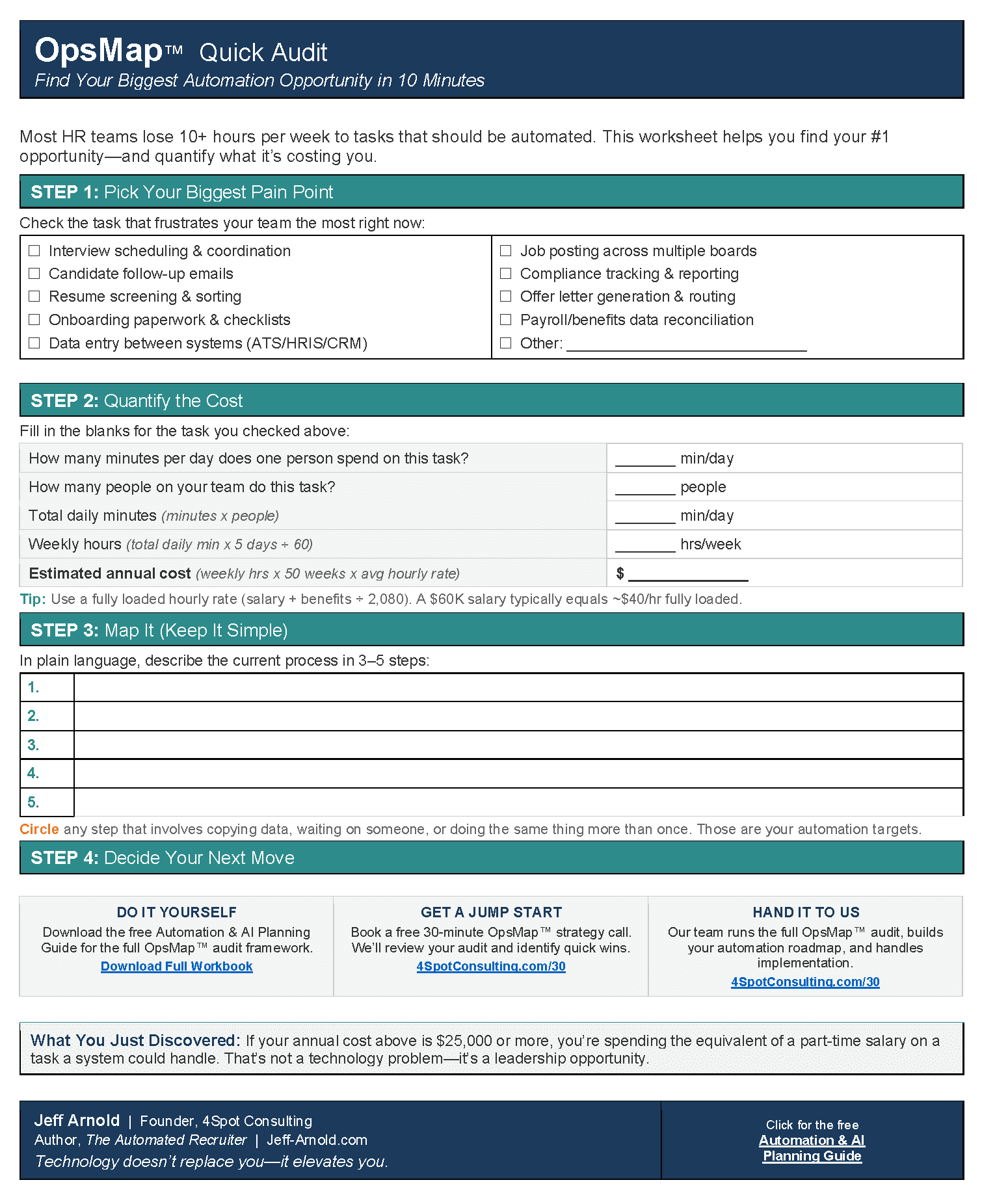
Your audit output becomes the specification for your filter conditions. Do not skip it. If you are mapping automation dependencies at the same time, an OpsMap™ audit gives you a structured framework for that work before a single scenario is touched.
Step 2 — Assign One Processing Purpose Per Scenario
The most common GDPR architecture failure in HR automation is the omnibus scenario: one workflow triggered by a new-hire event that simultaneously pushes data to payroll, benefits, IT provisioning, and background-check vendors — in a single chain with no purpose separation.
Purpose limitation under GDPR requires that personal data collected for one purpose is not processed for an incompatible purpose. In Make, that translates to a design rule: one scenario, one processing purpose.
Split your workflows accordingly:
- Payroll provisioning scenario: Receives name, tax ID, bank details, start date. Sends to payroll processor only.
- Benefits enrollment scenario: Receives name, date of birth, dependent count, benefits tier. Sends to benefits carrier only.
- IT provisioning scenario: Receives name, email, department, role. Sends to directory service only.
- Background screening scenario: Receives name, address, consent timestamp. Sends to screener only after consent verification passes.
Each scenario knows only the fields it needs. Cross-purpose data transmission stops at design time — not filter time. For a walkthrough of how this plays out in a real Make build, see how a non-technical HR team built their own automations in Make.
Step 3 — Build Filter Conditions Inside Make
With your field audit complete and processing purposes separated, you now build filter conditions that enforce the rules at execution time.
In Make, filters sit between modules. Every route that handles personal data needs a filter at its entry point. Configure each filter to check:
- Lawful basis present: If processing depends on consent, verify a consent timestamp field is populated and within your valid consent window. In Make:
consent_dateexists ANDconsent_dateis within the permitted range. - Field value in permitted set: If you process employees in certain jurisdictions only, filter on
jurisdictionbefore the scenario runs. - Required fields populated: Block records with empty required fields before they hit downstream APIs. A missing
employee_idthat reaches a payroll system creates ghost records and audit failures. - Data type validation: Use Make’s text operators to confirm date fields contain valid formats, numeric fields contain numbers, and email fields contain addresses. Type mismatches caught at the filter layer are far cheaper to fix than at the receiving system.
Set each filter to terminate the route on failure — not pass through with an empty value. In Make’s filter configuration, this means leaving the fallback route unconnected so the bundle stops rather than continuing with invalid data.
For a detailed walkthrough of building Make filter logic with AI assistance, see how to build a Make scenario with Claude.
Step 4 — Gate Special-Category Data With Dedicated Filter Chains
GDPR Article 9 special-category data requires stricter handling than standard personal data. Health records, genetic data, biometric identifiers, and similar fields need their own filter chain — separate from your standard data flow.
Build a dedicated route for special-category data that checks all of the following before passing the record:
- Explicit consent recorded: Article 9 processing on consent grounds requires explicit consent — not the implied consent sufficient for standard data. Your filter must verify a field that records explicit consent separately from general processing consent.
- Processing exception documented: If you rely on an Article 9 exception other than consent — employment law obligation, vital interests, preventive medicine — the filter verifies the field that flags which exception applies.
- Recipient system authorized: Map every system permitted to receive special-category data. If a record routes to a system not on that list, the filter blocks it. In Make, implement this as a filter condition on a
destination_systemfield that must match an allowlist. - Retention flag set: Special-category data retention periods are shorter than standard data. Verify a retention flag or expiry date is populated before processing continues.
Never merge special-category data into the same route as standard personal data. The processing conditions are different, the documentation requirements are different, and a single combined route makes it nearly impossible to demonstrate compliance to a regulator.
Step 5 — Test Against Non-Compliant Sample Data Before Go-Live
Every filter you build needs to prove it blocks the records it is designed to block — not just pass the records it should pass.
Create a test bundle for each filter that includes a deliberately non-compliant record:
- A record with no consent timestamp — should halt before the consent-gated module.
- A record with an expired consent date — should halt at the date range check.
- A record missing a required field — should halt before the downstream API call.
- A record with special-category data destined for an unauthorized system — should halt at the destination allowlist check.
In Make’s development mode, run each test bundle manually and confirm the execution log shows the bundle stopping at the filter — not passing through with an empty value or an unhandled error.
Document each test result in your RoPA or compliance log. When a regulator asks how you enforce data minimization in your automated workflows, this test log is the answer. For guidance on evaluating any Make scenario before production, see how to evaluate a Make scenario before it goes live.
Expert Take
The most common failure mode in HR automation GDPR reviews is not malicious — it is architectural laziness. Engineers build one trigger, chain all downstream steps in sequence, and ship it. The data minimization problem is invisible until an audit. The fix is almost never technical complexity; it is discipline at design time: one scenario, one purpose, one filter chain. Make’s architecture makes this straightforward. The failure is almost always organizational — nobody owns the data classification step, so it never happens. Own that step, and the technical implementation follows fast.
GDPR HR Automation: Frequently Asked Questions
Does Make store employee data that passes through a scenario?
Make retains execution logs that include input and output bundles for a configurable period — 30 days by default. For GDPR purposes, treat these logs as a processing record. Configure your log retention period to match your data retention policy for the data types in scope, and ensure your data processing agreement with Make covers the data categories your scenarios handle.
What is the difference between a filter and a router in Make for GDPR compliance?
A filter evaluates a condition and either passes or stops a bundle. A router evaluates a condition and sends the bundle down different paths. For GDPR compliance, use filters to block non-compliant data outright, and routers to separate compliant data into purpose-specific paths. Both are necessary in a well-architected HR data scenario — the filter is the gate, the router is the traffic director.
How do you handle consent withdrawal in a Make scenario?
Build a separate webhook-triggered scenario that fires on a consent withdrawal event from your consent management system. That scenario updates a consent flag in your HRIS or CRM, deactivates any scheduled scenarios that depend on that consent, and logs the withdrawal event with a timestamp. Do not rely on primary data processing scenarios to check for withdrawal at runtime — the withdrawal scenario handles it as a first-class event.
Is anonymizing data inside a Make scenario enough to avoid GDPR requirements?
Anonymization within a scenario does not retroactively remove GDPR obligations from the processing that occurred before anonymization. If a scenario receives identifiable data and processes it — even if the output is anonymized — the input processing is still in scope. True anonymization means the data is irreversibly de-identified before it enters your automation pipeline. Pseudonymization inside a scenario reduces risk but does not remove GDPR applicability.

RELATED POST