Post: 9 Marketing Automation Tools for Small Business Owners in 2026
Marketing automation tools handle repetitive campaign tasks — email sequences, lead capture, social scheduling, and analytics — so your team focuses on strategy. The nine categories below cover every function a small business needs to automate its marketing without hiring a full department.
Why Marketing Automation Matters for Small Businesses
Every business markets itself. Whether you sell software, professional services, or physical products, your ability to reach and nurture customers determines growth. The problem for small teams is time: there are only so many hours in a day to write emails, post to social channels, follow up on leads, and analyze what worked.
Marketing automation removes the repetition from that list. You build the campaign once, set the triggers, and the system runs it on a consistent schedule while your team handles the work that actually requires judgment. That shift — from manual to automated execution — is where growth compounds.
Before you choose a tool, it helps to understand why automation should come before AI in your stack. Get the process right first, then layer intelligence on top.
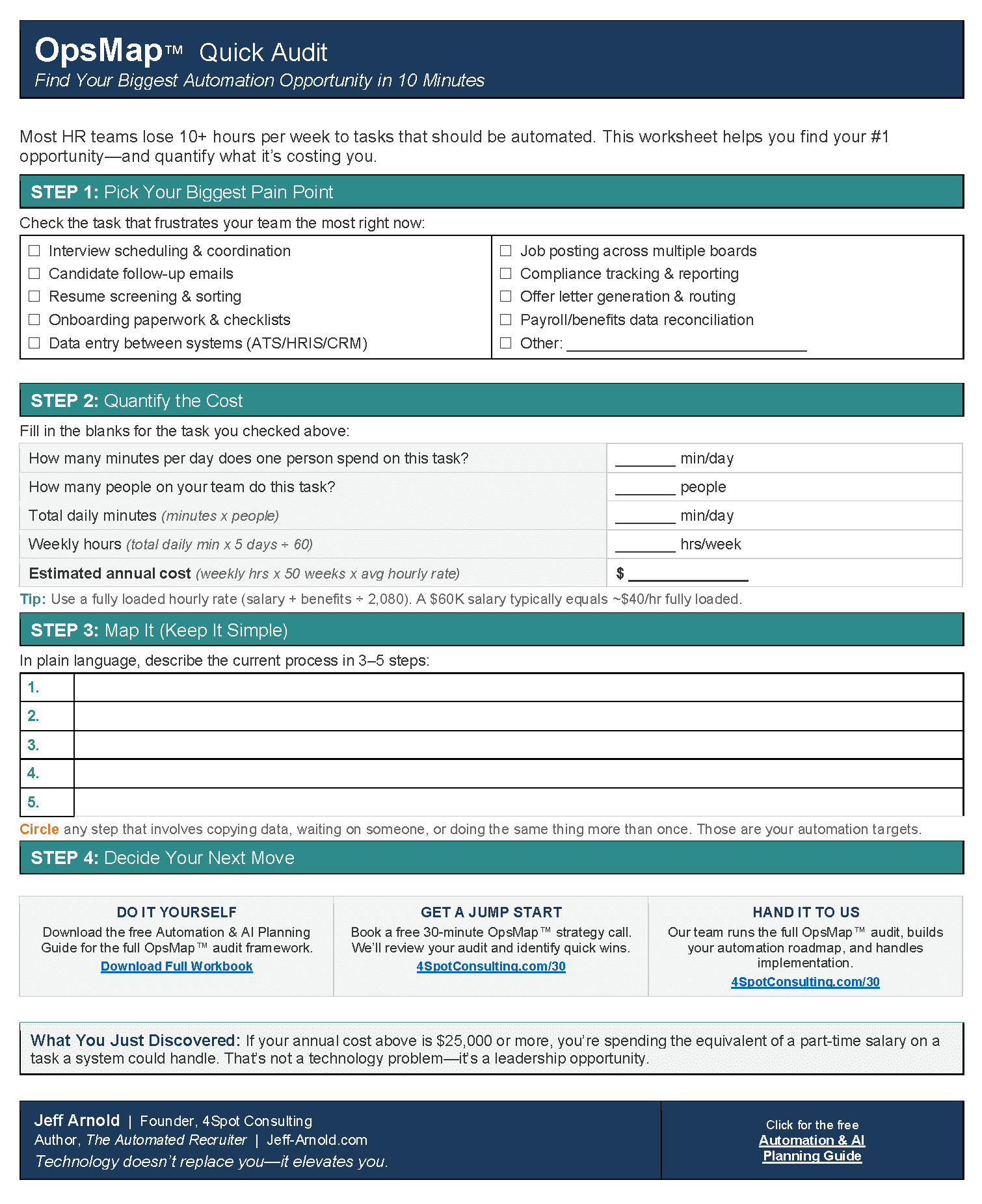
You also need a clear map of what to automate. Our OpsMap checklist walks through the seven questions every operator should answer before touching a workflow.
For businesses already running disconnected SaaS tools, the hidden cost of manual data entry between those tools is larger than most owners realize. See how manual data entry silently kills productivity before those costs compound further.
How to Use This List
The nine categories below are not ranked by price or complexity. They are ranked by the order most small businesses should tackle them — starting with the highest-volume, highest-impact workflows and moving toward refinement. Each category includes what the tool type does, what problem it solves, and the platform signal that tells you it is the right fit for your stage.
| # | Category | Primary Problem Solved | Best Fit Stage |
|---|---|---|---|
| 1 | Email Marketing Automation | Inconsistent follow-up | Any stage |
| 2 | Lead Generation & Capture | Pipeline gaps | Early growth |
| 3 | CRM & Sales Automation | Manual deal tracking | Any stage |
| 4 | Social Media Scheduling | Inconsistent posting | Early–mid growth |
| 5 | Customer Engagement & Retention | Churn and inactivity | Mid–mature |
| 6 | Marketing Analytics & Reporting | Blind budget decisions | Any stage |
| 7 | Landing Page & Conversion Tools | Low conversion rates | Early growth |
| 8 | Workflow Integration & Data Sync | Fragmented tool stack | Mid–mature |
| 9 | AI-Assisted Content & Personalization | Scaling content output | Mature stage |
The 9 Marketing Automation Tool Categories
1. Email Marketing Automation
Email remains the highest-ROI marketing channel for most small businesses. Email automation tools let you build sequences that trigger based on subscriber behavior — a welcome series when someone joins your list, a re-engagement sequence when they go quiet, a post-purchase follow-up after they buy.
The key capability to look for is behavior-based triggering. Time-based blasts (send to everyone on Tuesday at 10am) are table stakes. Behavior-based sequencing — where the next message depends on whether the recipient opened, clicked, or purchased — is where the compounding happens.
Popular platforms in this category include Mailchimp, ActiveCampaign, and Klaviyo. If you are already using Make.com as your integration layer, email platforms connect directly via API, meaning your CRM, your email tool, and your website all share the same contact record without manual data transfers.
Learn more about how email automation can recover 25% of your workday.
2. Lead Generation and Capture Tools
A marketing channel that drives traffic but fails to capture contact information is a leaking bucket. Lead generation tools — forms, popups, chatbots, and lead magnets — convert that traffic into identifiable prospects you can nurture.
The automation layer matters here. When a prospect fills out a form, the system should immediately: add them to your CRM, tag them based on which page or offer they responded to, and enroll them in the appropriate email sequence. Every manual step in that chain is a place where leads fall through.
Look for tools that integrate cleanly with your CRM. If they do not offer a native connector, Make.com fills the gap — it connects virtually any form tool to any CRM without requiring custom code.
3. CRM and Sales Automation Tools
Your CRM is the connective tissue between marketing and revenue. Without automation, CRM data decays fast: reps forget to log calls, deal stages go stale, and contacts pile up with no follow-up history.
Sales automation tools solve this by triggering actions based on deal stage changes, contact activity, or time since last touch. A deal that sits in “proposal sent” for seven days with no response automatically gets a follow-up task assigned to the rep. A contact who downloads three resources in a week gets flagged for immediate outreach.
This is also where data accuracy becomes a financial issue. One manufacturer we worked with suffered a $27K overpayment because of a single data entry error — the same vulnerability exists in any system where humans manually transfer records between tools.
4. Social Media Scheduling and Publishing Tools
Consistent social presence builds brand recognition over time. But logging into five platforms daily to post manually is a time drain that compounds: Jeff, who ran a mortgage branch in Las Vegas in 2007, tracked his team’s small inefficiencies and found that just 10 minutes of wasted time per day equals one full work week lost per year. Social scheduling eliminates that category of waste entirely.
Social scheduling tools allow you to batch-create content, schedule it across platforms on a calendar, and review performance from a single dashboard. The automation element extends further when you connect your scheduling tool to your content workflow — a published blog post automatically generates draft social copy, for example, using a Make.com scenario.
See how 10 automation workflows that were previously complex are now accessible to non-technical teams.
5. Customer Engagement and Retention Tools
Acquiring a new customer costs significantly more than retaining an existing one. Customer engagement tools — loyalty programs, NPS surveys, re-engagement campaigns, and customer success workflows — protect the revenue you already have.
Automation makes retention systematic rather than reactive. Instead of responding to a cancellation after it happens, an automated engagement system identifies customers who have reduced their activity and triggers a personalized outreach before they churn. The trigger can be as simple as: “no login in 21 days” or “support ticket opened twice this month.”
These workflows integrate naturally with your CRM and email platform. When all three systems share data in real time — via a tool like Make.com — the engagement trigger fires based on accurate, current behavior rather than stale records.
6. Marketing Analytics and Reporting Tools
Spend without measurement is guessing. Marketing analytics tools track campaign performance — open rates, click-through rates, cost per lead, conversion rates, and revenue attribution — and surface the data your team needs to make better decisions.
The automation play here is in reporting. Instead of a team member manually pulling data from five platforms every Monday to build a dashboard, an automated reporting workflow pulls the data, formats it, and delivers it to whoever needs it on a schedule. That single change can reclaim two to four hours of skilled labor per week.
For businesses with fragmented data across multiple platforms, a single source of truth is the prerequisite for any analytics tool to work accurately. You cannot report on data you cannot trust.
7. Landing Page and Conversion Optimization Tools
Traffic is only valuable when it converts. Landing page tools let you build, test, and optimize the pages where your marketing campaigns land — without waiting on a developer for every change.
The automation connection comes through A/B testing and form integration. A well-configured landing page tool automatically routes new submissions into your CRM, tags them by campaign, and triggers the appropriate follow-up sequence. The testing layer tells you which headline, offer, or layout drives more conversions, so you continuously improve without guessing.
For teams evaluating whether to build custom landing infrastructure or rely on SaaS tools, the build-vs-buy decision framework for the AI era is worth reviewing before committing to either path.
8. Workflow Integration and Data Synchronization Tools
Every tool in your marketing stack generates data. The problem is that data rarely lives in the same place. Your email platform knows who clicked. Your CRM knows who bought. Your website knows who visited which pages. Without integration, no single system has the full picture.
Workflow integration tools — with Make.com as the leading platform for this category — connect your stack so data flows automatically between systems. A contact who clicks a pricing page email gets flagged in the CRM. A closed deal triggers a welcome email sequence. A refund request updates the customer’s loyalty tier.
This is the infrastructure layer that makes every other automation category more effective. When the data is accurate and synchronized in real time, your campaigns, your analytics, and your sales team all operate from the same reality.
Explore how data synchronization drives B2B growth and why it is the unseeen engine behind most high-performing operations.
Expert Take
The biggest mistake small business owners make with marketing automation is buying the tool before mapping the process. A sophisticated email platform running on a poorly designed contact list and undefined triggers produces worse results than a basic tool running on clean data and clear logic. Run your process audit first. Map what a lead does from first touch to closed deal. Then choose the tool that fits that map — not the tool with the most impressive demo.
9. AI-Assisted Content and Personalization Tools
AI-assisted tools are the newest category and the one most teams reach for too early. They work best when the foundation — clean data, integrated systems, defined segments — is already in place.
At that point, AI tools accelerate content production (first drafts of email copy, subject line variants, ad creative), enable dynamic personalization (a homepage that shows different content based on the visitor’s industry), and improve targeting (predictive lead scoring based on behavioral patterns).
The integration layer matters here too. AI tools that operate in isolation produce disconnected outputs. When connected to your CRM and email platform via Make.com, the personalization logic runs automatically: the right content reaches the right segment without a team member manually building each variant.
For a practical look at where AI handles automation tasks well and where it still struggles, see 5 automation tasks AI handles well — and 5 it still gets wrong.
What Does a Marketing Automation Stack Actually Look Like?
For a small business with a lean team, the practical stack looks like this:
- Email platform (ActiveCampaign, Klaviyo, or similar) for sequences and broadcasts
- CRM (HubSpot, Pipedrive, or similar) for contact and deal management
- Form and landing page tool for lead capture
- Social scheduling tool for consistent publishing
- Make.com as the integration layer connecting all of the above
- Analytics dashboard (Google Looker Studio or platform-native) for reporting
That stack, built correctly, handles the majority of a small business’s marketing execution automatically. The team’s job shifts from doing the work to reviewing the results and making strategic adjustments.
TalentEdge, a mid-market HR firm, standardized their operations using a similar connected approach and achieved $312K in annual savings with a 207% ROI. The principle applies across industries: when processes are standardized and connected, efficiency scales.
How Do You Know If You Are Ready to Automate?
Automation delivers the most value when the underlying process is already working. If your email follow-up sequence is generating replies and your lead qualification process is consistent, automation scales that result. If the process is broken, automation scales the broken result faster.
Before implementing any tool in this list, run a basic audit:
- Is this process documented well enough that a new hire could follow it?
- Does the data this process depends on live in one place or across multiple spreadsheets?
- Is the outcome measurable — do you know what success looks like?
If you answer no to any of those questions, document the process first. Then automate it. Our OpsMap™ audit guide walks through exactly how to do that before touching a single tool.
Common Mistakes When Building a Marketing Automation Stack
Automating the wrong things first. Email broadcasts are easier to automate than lead scoring. Start where the volume is highest and the process is most defined.
Buying tools that do not connect. A stack of five tools with no shared data layer produces five siloed pictures of your customer. Choose tools with clean API access or make Make.com your integration layer from day one.
Skipping the data audit. Automation runs on data. If your contact list is full of duplicates, missing fields, or outdated tags, every automated campaign you run will reflect that inaccuracy.
Over-engineering the first build. Your first automated workflow does not need to handle every edge case. Build the core flow, watch how it performs for 30 days, then add complexity based on what the data shows.
For teams that have inherited a broken operations stack — whether in marketing, HR, or operations — the guide to fixing broken operations without burning out covers the prioritization framework that applies across departments.
Frequently Asked Questions
What is marketing automation?
Marketing automation is the use of software to execute repetitive marketing tasks — email sequences, lead nurturing, social posting, and reporting — on a schedule or in response to user behavior, without requiring manual action each time.
Do small businesses need marketing automation?
Yes. Small teams benefit most from automation because they have the least capacity to absorb manual work. A single automated email sequence can replace hours of weekly follow-up by a team member who has higher-value work to do.
What is the best platform to connect marketing automation tools?
Make.com is the integration platform we recommend for connecting marketing tools. It handles multi-step workflows between your email platform, CRM, forms, and analytics tools without requiring custom code.
How long does it take to set up marketing automation?
A basic email welcome sequence takes one to two hours to configure in most platforms. A full stack — with CRM integration, lead scoring, and reporting — takes two to four weeks of focused setup, including process documentation and testing.
Can I automate social media marketing?
Yes. Social scheduling tools handle publishing automation across platforms. For more advanced workflows — auto-generating social copy from a published blog post, for example — Make.com connects your content system to your scheduling tool and handles that step automatically.
Additional Reading
- What Is Automation-First? Why You Should Automate Before You Add AI
- 7 Questions to Ask Before You Automate Anything (The OpsMap Checklist)
- Manual Data Entry: The Silent Killer of Business Productivity & Profit
- How to Run an OpsMap Audit Before Automating Anything
- 10 Automations That Are Finally Easy to Build With Make + AI — No Developer Needed
- Data Synchronization: The Unseen Engine of B2B Growth and Profit
- Email Automation: Save 25% of Your Day, Achieve Peak Business Efficiency
- Unifying Your Business Data: A Step-by-Step Guide to a Single Source of Truth
- How to Make the Build-vs-Buy Decision in the AI Development Era
- 5 Automation Tasks AI Handles Well — and 5 It Still Gets Wrong
- Escape the Manual Workflow Trap: AI Automation for Unstoppable Growth
- DIY Automation vs. Hiring a Make Partner in 2026: When to Do Each
- Drowning in Admin: How Solo and Small HR Teams Can Fix Broken HR Operations Without Burning Out
- The Invisible Drain: How Automation Unleashes Business Growth
- Strategic Automation: Unleashing Executive Potential in Communications


RELATED POST