What should an HR manager check before giving an outside automation engineer access to employee records?
Before an outside automation engineer touches employee records, an HR manager checks five things: a signed agreement that covers confidentiality and data handling, access limited to the exact systems and fields the build needs, a personal login for the engineer with multi-factor sign-in, a test setup with sample records for building, and a written plan for logging activity and removing access when the work ends. Confirm all five in writing before any credential changes hands.
Key Takeaways
- Get the agreement signed before access starts, and have counsel review the data-handling terms.
- Give the engineer the fields the automation reads and writes, nothing more.
- Every outside person gets a personal login with multi-factor sign-in. No shared admin accounts.
- Build and test against sample records, and connect live data last.
- Set the end date and the shut-off steps on day one.
Which agreements should be signed before access starts?
Sign the contract and a confidentiality agreement before the engineer sees a single employee record, and make sure both spell out how employee data is handled. A handshake and a shared password are not a data agreement.
Check that the paperwork answers these questions:
- Who sees the data. Every person at the engineer’s firm who will touch your records, including any subcontractor, is named.
- Where the data goes. No downloads or copies outside your systems, and no use of your records to test other projects.
- What happens when something goes wrong. How fast the engineer tells you about a mistake or exposure, and who they tell.
- Who owns the work. The automations, connections and documentation belong to your company.
- What happens at the end. The engineer deletes anything they hold and confirms it in writing.
Rules for employee data differ by state and industry. Have qualified counsel review the agreement for your situation. This post explains the checks and is not legal advice. The questions you ask a software vendor apply here too, and our list of data security questions for HR tech vendors works as a starting script.
How much access does the engineer need?
The engineer needs access to the specific records and fields the automation reads or writes, and nothing beyond that. Ask for a written field list before you grant anything.
An onboarding automation that creates accounts in three systems needs names, start dates, job titles and managers. It does not need Social Security numbers, bank details, pay history or medical notes. If the engineer says the build needs a sensitive field, ask what the automation does with it and whether a masked or partial value works instead.
- Build a permission set for this project instead of copying an HR admin role. Our guide to role-based access features in HR systems explains what to look for.
- Use read-only access wherever the automation only pulls data.
- Give the engineer a named login with multi-factor sign-in. Never hand over an HR team member’s password or a generic admin account.
- If the automation connects through an API key, create a key for this project alone, so you can revoke it without breaking anything else.
The type of engineer changes the answer too. A forward-deployed engineer who works inside your systems day to day needs different access, for a different length of time, than a fractional engineer who builds in shorter blocks. Our guide, Should you hire a forward-deployed engineer or a fractional one?, walks through that bigger decision.
Expert Take
A confidentiality agreement covers what happens after something goes wrong. Scoped access limits how much can go wrong in the first place. We would rather begin a build with a narrow login and ten fake employee records than with a full admin seat and a strong contract. When an engineer asks for admin rights to save time, treat the request as a design question: which exact fields does the automation read, and which does it write? An engineer who answers that clearly is ready to build. One who cannot has not planned the build yet, and access waits until they have.
Where should the engineer build and test?
The engineer builds and tests against a sandbox or a set of sample records, and live employee data connects only after the logic is proven.
Ask whether your HR system offers a test environment. If it does not, create a handful of employee records with obviously fake names and use them for every test run. This keeps real names, salaries and home addresses out of test emails, error messages and screenshots.
If the build runs on Make.com, confirm three settings before go-live:
- The connections to your HR systems live in your company’s own Make.com organization, not in the engineer’s personal account.
- The engineer is a member of your organization with a role you chose, so you remove them without rebuilding anything.
- Scenarios that move employee data have the option turned on that keeps processed data out of the run history.
How will you see what the engineer did, and how do you shut it off?
Turn on activity logging before the first login, and write the shut-off steps into the project plan on day one.
A named login only helps if someone reads the log. Agree on what gets recorded and who on your side reviews it each week during the build. Our list of audit log data points for HR automation covers what to capture.
When the engagement ends, work through this list:
- Disable the engineer’s logins in every system on the last day, not when someone remembers.
- Revoke or rotate every API key and password the engineer saw.
- Confirm every automation and connection is owned by a company account.
- Collect written documentation: what each automation does, which fields it touches and who to call when it stops.
- Get written confirmation that the engineer deleted any copies of your data.
Questions HR managers ask about outside engineer access
Should the engineer ever get full admin access to the HR system?
Full admin access belongs only to the setup tasks that require it, and only for the hours those tasks take. Schedule the task, grant the role, review the log and remove the role the same day.
What if the engineer works with a subcontractor?
Every person who touches your data is named in the agreement and gets an individual login. If the firm will not name them, pause the project until it does.
Do these checks apply to an AI step the engineer sets up?
Yes, every AI step that reads employee records follows the same rules for scoped fields, logging and ownership. Ask where the AI service sends the data, whether it keeps it, and which account owns the connection.
Why getting this right matters, and where help fits
Employee records hold the details people trust HR to protect: pay, home addresses, family information and health notes. An automation built with loose access leaves that exposure open long after the engineer moves on, through an old login, a forgotten API key or a connection tied to someone’s personal account.
Scoped access, sample data, logging and a clean handoff take planning that falls outside day-to-day HR work. Bringing in help to design it correctly from the start keeps the build moving without opening doors you have to close later. Before any engineer starts, map which handoffs between your tools cost the most time. Our guide on how HR can stop being human middleware between disconnected tools walks through that step.
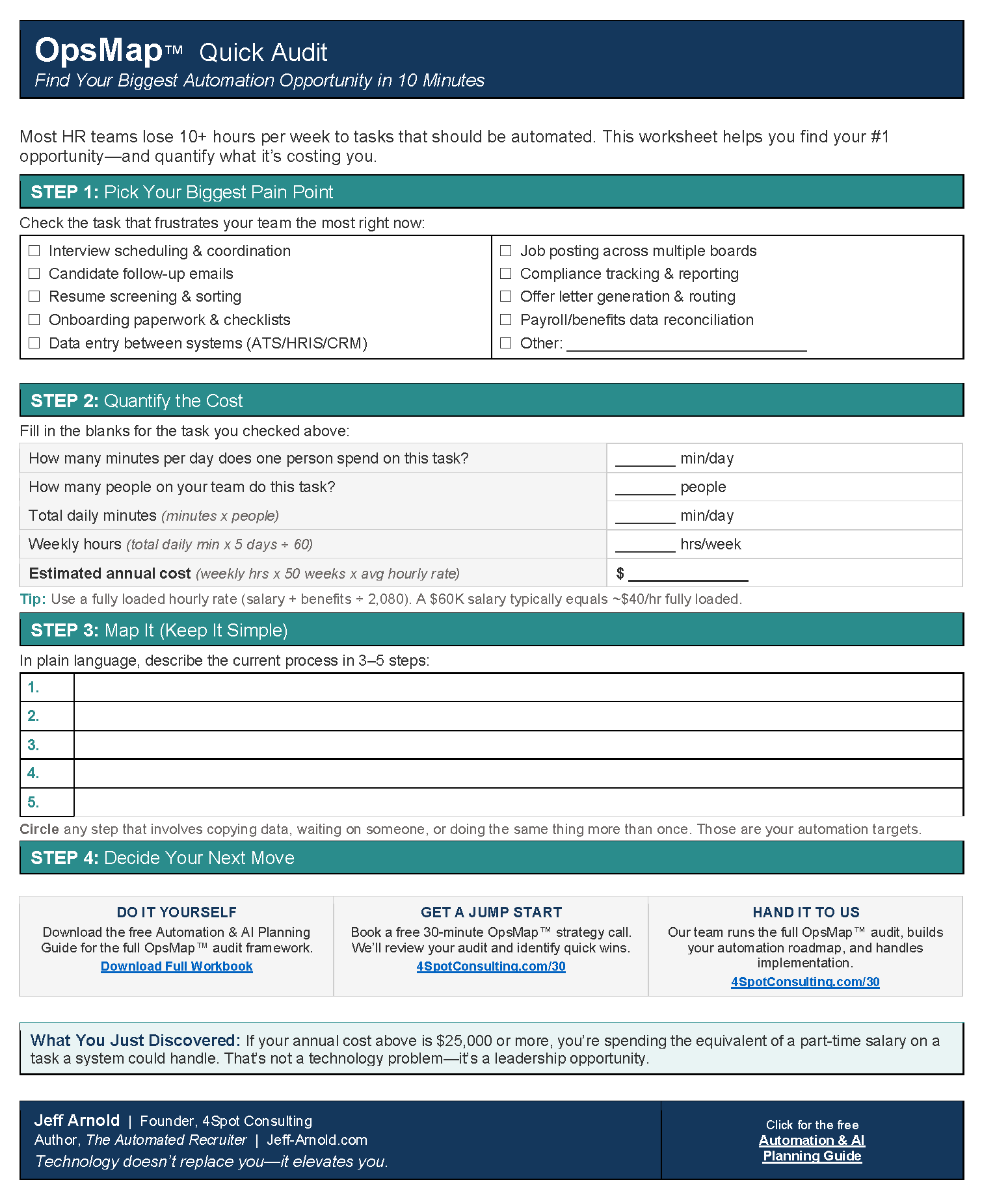
This is what 4Spot Consulting does: automation and AI done right, built on Make.com. Our OpsMap™ starts by documenting which systems and fields a build touches, so access is scoped before anyone logs in, and every automation we hand over runs in accounts your company owns.
Next steps
If you are planning an automation that touches employee records, contact 4Spot Consulting and we will review the access plan with you before the engineer starts.