AI Automation for HR: What It Is, Where It Works and Where People Stay in Charge
AI automation for HR is the use of automated workflows and AI models together to run repetitive HR administration, such as moving new-hire data between systems, routing approvals, drafting standard documents and answering routine policy questions. The automation handles the repeatable steps the same way every time, and the AI handles the unstructured parts, like emails, resumes and free-text questions, inside limits your team sets and with a person signing off on anything that affects someone’s job or pay.
Key takeaways
- AI automation for HR has two layers: rule-based automation that moves data and triggers steps, and AI that reads, sorts and drafts the unstructured pieces.
- Automation comes first. AI on top of an unmapped, manual process produces faster mistakes.
- The best fits are high-volume, repeatable tasks with clear inputs: onboarding, data sync between the ATS, HRIS and payroll, document generation, employee questions and compliance tracking.
- Decisions about people stay with people. AI drafts, sorts and flags; a person approves hiring, pay, discipline and termination decisions.
- Every AI step needs logging, error handling and a human checkpoint before anything reaches an employee or a candidate.
What is AI automation for HR?
AI automation for HR is a connected workflow where software carries out HR tasks on its own and calls an AI model only at the steps that need reading or judgment. It sits between the systems your team already uses, so the work moves without someone copying data from one screen to another.
Every working setup has four parts:
- A trigger. Something happens in a system you already use: an offer is signed in the ATS, a form is submitted, a date arrives, an employee sends a question.
- Rules. The automation follows the steps you define. Create the HRIS record, send the welcome packet, open the IT ticket, notify the manager.
- An AI step. Where the input is messy, a language model reads it and returns something structured: a category, a summary, a draft reply, the fields pulled out of a document.
- A human checkpoint. A person reviews anything that carries risk before it goes out, and the workflow records what happened at every step.
The automation platform is the piece that ties those four parts together. We build on Make.com because it connects to the HR systems teams already run, handles multi-path logic and error handling natively, and lets an AI step sit inside a workflow instead of off to the side in a chat window.
How is AI automation different from regular HR automation?
Regular HR automation follows rules, and AI automation adds the ability to read and interpret information that does not fit a rule. A rule says “when the offer is signed, create the employee record.” AI handles the parts no rule can cover, such as reading a free-text email from a new hire and working out whether it is a benefits question, a start-date change or a payroll problem.
Automation has to come first. It standardizes the process and cleans up the data. AI then works on top of that structure. When teams reverse the order and buy an AI tool for a process nobody has mapped, the AI inherits every inconsistency underneath it.
The results show it. In an October 2025 release, Gartner reported that 88 percent of HR leaders say their organizations have not realized significant business value from AI tools.
The pattern we see in client work is consistent. The tool is fine. The process under it was never written down, the data lives in three systems that disagree, and nobody decided which steps the AI owns and which ones a person owns.
Expert Take
I tell HR leaders to stop asking which AI tool to buy and start asking which handoff costs them the most hours. Almost every time, the answer is a person copying data from one system into another. That is an automation job, not an AI job. Once that handoff runs on its own and the data is clean, adding AI is easy and the output is worth using. A team that skips that step pays for AI that summarizes bad data very quickly.
Which HR tasks are a good fit for AI automation?
The best fits are tasks that repeat every week, follow a pattern and have clear inputs and outputs. Here is where the two layers split the work in the HR functions we automate most.
- Onboarding. Automation creates the employee record, sends documents for signature, opens equipment and access tickets and schedules first-week meetings. AI drafts a personal welcome note from the offer details and answers the new hire’s routine questions from your handbook.
- Data sync between the ATS, HRIS and payroll. Automation moves the record once, from the system of origin, so nobody re-keys a salary, a start date or a job title. AI checks free-text fields for anything that does not match the expected format and flags it for review.
- Employee questions. Automation routes each question to the right queue and logs it. AI reads the question, matches it to your policy documents and drafts an answer for an HR team member to approve or send.
- Documents and letters. Automation fills offer letters, verification letters and policy acknowledgments from system data. AI drafts the sections that change by situation and summarizes long documents for the person who has to act on them.
- Compliance tracking. Automation records training completions, certification expirations and acknowledgment signatures, then sends reminders and escalates overdue items. AI summarizes the status for the HR leader in plain language.
- Recruiting administration. Automation schedules interviews, sends status updates and collects interviewer feedback. AI summarizes feedback and drafts candidate messages for a recruiter to review.
- Offboarding. Automation runs the checklist: access removal, equipment return, final pay steps and exit survey. AI summarizes exit survey comments into themes leadership can act on.
- Reporting. Automation pulls headcount, turnover and time-to-fill data into one report on a schedule. AI writes the plain-English summary that goes on top.
Employers that use these tools report the time savings. In SHRM’s 2022 survey of 1,688 HR professionals, 85 percent of employers that use automation or AI said it saves them time or increases their efficiency.
For a longer list of specific workflows, see our library of HR automations.
Which HR tasks should stay with people?
Any decision that changes someone’s job, pay or standing stays with a person, with AI limited to preparing the information. That includes hiring and promotion decisions, compensation changes, discipline, terminations, workplace investigations and accommodation requests.
AI can pull the facts together, draft the documentation and flag what is missing. The judgment and the conversation belong to an HR professional. Technology doesn’t replace people – it elevates them, and the time automation gives back is meant for exactly this kind of work.
The risk of handing these calls to software is documented. In the same SHRM survey, 19 percent of organizations that use automation or AI said those tools had accidentally overlooked or excluded qualified applicants or employees.
What does an AI automation workflow look like in practice?
A typical HR workflow starts with one trigger, runs a chain of automated steps and pauses for a person only where judgment is needed. Here is a new-hire onboarding workflow, the kind we build on Make.com, step by step:
- The candidate signs the offer in the ATS. That signature is the trigger.
- The workflow reads the accepted offer and creates the employee record in the HRIS with the same salary, title, start date and manager. Nobody types those values a second time.
- It sends the new-hire paperwork for e-signature and starts a reminder sequence if the documents are not back by a set date.
- It opens tickets for equipment and system access and posts the start date to the manager and the team.
- An AI step drafts a welcome email using the offer details, the team and the first-week schedule. The HR coordinator reviews and sends it.
- When the new hire replies with questions, an AI step sorts each message into benefits, payroll, IT or general, drafts an answer from the handbook and routes it to the right person for approval.
- Every step writes to a log, and any failure, such as an HRIS record that will not save, alerts a named person instead of failing with no notice.
Step 2 is where a lot of HR pain lives. Take David, an HR manager at a mid-market manufacturer, whose team re-keyed an offer from the ATS into the HRIS by hand. A $103K salary went in as $130K. The company overpaid by $27K, and when the error was corrected, the employee quit. No AI was involved and none was needed. An automated record transfer would have moved the right number.
The same structure gives time back at scale. Sarah, an HR director in regional healthcare, reclaimed 12 hours a week and cut hiring time by 60% with automation.
Expert Take
The AI steps in that workflow are the smallest part of the build. Most of the work is deciding where the data comes from, what happens when a step fails and who gets told. Teams that skip that planning end up with an AI tool that drafts beautiful emails nobody trusts, because nobody trusts the data behind them. Build the plumbing first. The AI is the smallest piece.
What are the risks, and how do you keep AI automation safe?
The main risks are wrong outputs reaching employees, biased results in decisions about people, sensitive data going where it should not, and failures nobody notices. Each one has a specific control.
- Wrong outputs. Keep a person between the AI draft and the employee for anything that affects pay, benefits, status or legal standing. Review a sample of automated answers on a set schedule.
- Bias. Do not let AI make or rank decisions about candidates or employees without human review, and test outcomes across groups before and after any screening step goes live.
- Data exposure. Send an AI model only the fields a task needs. Keep Social Security numbers, medical details and bank information out of prompts, and confirm how each vendor stores and uses what you send.
- Unnoticed failures. Build error handling into every step: retry what can be retried, alert a named person when a step fails, and log every action so you can trace any record back to its source.
- Vendor opacity. Ask every vendor how their AI was tested for bias and what data it was trained on, and get the answers in writing.
In SHRM’s 2022 survey, only 2 in 5 employers that source automation or AI tools from a vendor said their vendor is very transparent about the steps taken to protect against bias.
For a deeper look at review steps in hiring, see our guide to human oversight in AI-powered recruiting.
What laws apply to AI in HR decisions?
Some places now regulate AI tools used in hiring and promotion decisions directly, and the anti-discrimination laws you already follow still apply. New York City’s Local Law 144 of 2021 is one of the clearest examples, and it shows what this kind of rule asks of employers. According to the city’s Department of Consumer and Worker Protection, it prohibits employers and employment agencies from using an automated employment decision tool in New York City unless a bias audit was done and the required notices were given.
Law at a glance: New York City Local Law 144 of 2021 (automated employment decision tools)
- Jurisdiction: New York City
- Effective date: Took effect January 1, 2023. Enforcement began July 5, 2023.
- Scope: Employers and employment agencies that use an automated employment decision tool in New York City to substantially assist or replace discretionary decisions when assessing candidates for hiring or employees for promotion.
- Source: NYC Department of Consumer and Worker Protection, Automated Employment Decision Tools FAQ and DCWP’s AEDT page
Under the city’s rules, as the DCWP FAQ explains, an employer can rely on a bias audit for one year, must publish a summary of the audit results, and must notify New York City candidates and employees 10 business days before using the tool, including how to request a reasonable accommodation. The FAQ also states that the employer, not the vendor, is responsible for making sure the bias audit was done, and that federal, state and New York City laws prohibiting discrimination still apply.
Two practical points follow for any HR team. First, know which steps in your workflows only move data and which ones assess or rank people, because the second group is what these rules target. Second, check the rules where your candidates and employees live before you turn on any AI step that scores, screens or ranks them, and bring in employment counsel for that review. This article is general information, not legal advice.
Does the same approach work for legal administration?
Yes, and the split between automation and AI works the same way for legal teams as it does for HR. Both functions run on documents, deadlines and records that live in several systems.
In a legal setting, automation runs matter intake, conflict-check requests, document assembly from templates and deadline reminders. AI reads incoming documents, pulls out the key fields and drafts summaries for an attorney or paralegal to review. The same rule holds: AI prepares, a professional decides.
How do you know AI automation is working?
You know it is working when the numbers you measured before the build improve after it. Measure four things for every workflow before go-live and every month after:
- Time per transaction. How long one onboarding, one letter or one question takes from start to finish.
- Error rate. How many records need correction after the fact.
- Cycle time. How long from the trigger to the finished result.
- Hours reclaimed. How many staff hours per week the workflow returns to the team.
Then decide where those hours go. Gartner’s July 2025 survey of 114 HR leaders found that only 7% of organizations provide guidelines to employees on how to use time saved by AI. Reclaimed time with no plan behind it turns back into email.
The math adds up quickly. Ten minutes a day of avoidable admin work adds up to about a week of lost productivity per person per year. Remove a few of those ten-minute tasks across a whole HR team and the hours add up fast.
How should an HR team start with AI automation?
Start with one process, not a platform. Pick the handoff that costs your team the most hours or causes the most errors, and work through it in this order:
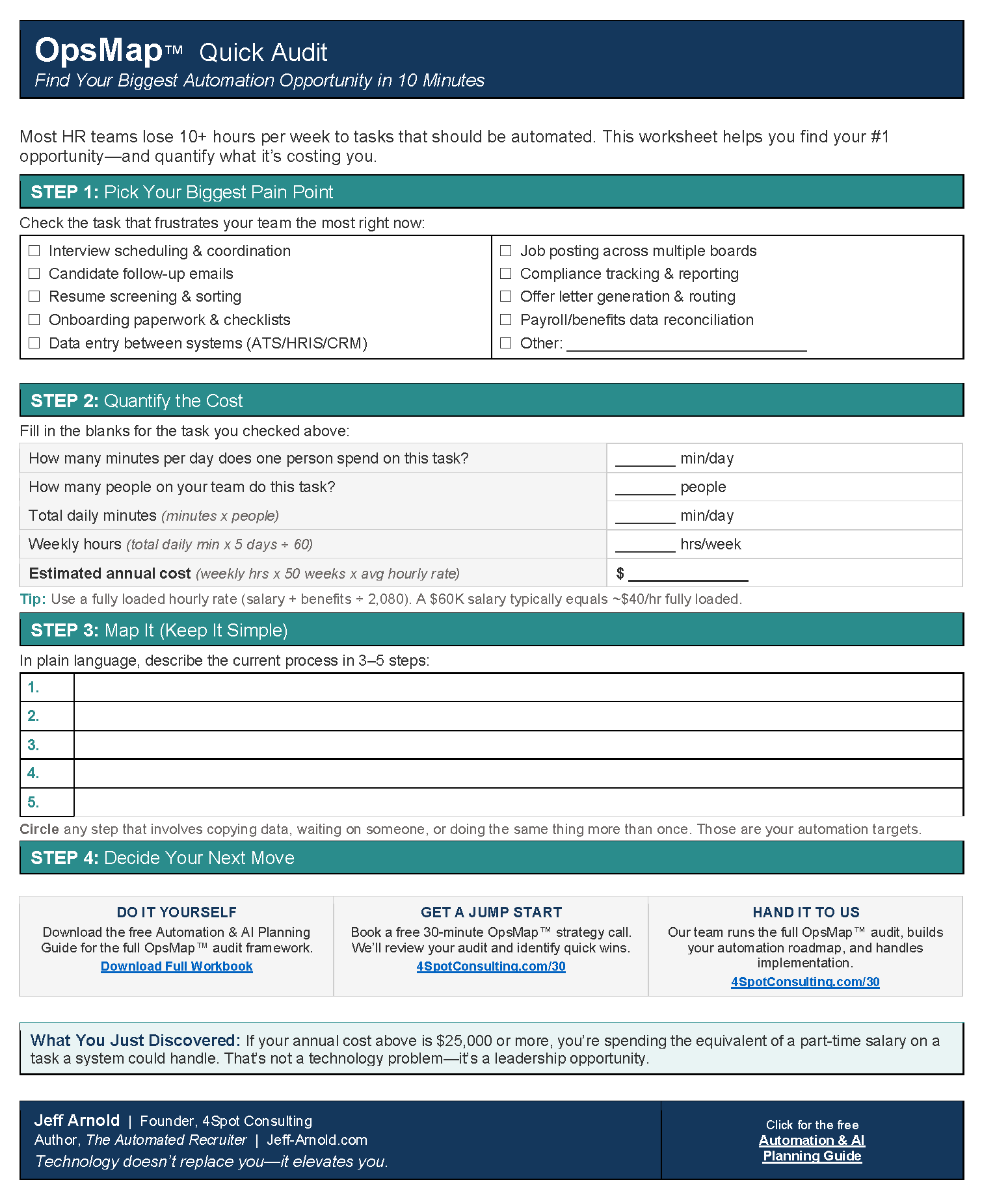
- Map it. Write down every step, every system and every person involved. Our OpsMap™ process does exactly this, and it ends with a prioritized list of what to automate first.
- Automate the rules. Connect the systems so data moves once, from its source, and the repeatable steps run on their own.
- Add AI at the judgment points. Put an AI step where someone used to read, sort or draft, and keep a person reviewing its output.
- Measure and expand. Compare against your baseline, adjust, then move to the next process.
For a structured way to find where the hours go, our guide on auditing your HR tech stack walks through it. For the broader picture of what automation does across HR, read our practical guide to HR automation, and for why automation goes before AI, see why automation comes before AI.
Frequently asked questions
Is AI automation for HR only for large companies?
No, AI automation fits any HR team that repeats the same tasks every week, and smaller teams feel the time savings fastest because each person covers more ground. A team of three that stops re-keying data between two systems gets those hours back as soon as the workflow runs.
Do we need to replace our HRIS or ATS to use AI automation?
No, AI automation connects the systems you already have instead of replacing them. A platform like Make.com sits between your ATS, HRIS, payroll, e-signature and communication tools and moves the data between them.
Will AI automation replace HR staff?
No, the goal is to take low-value administrative work off skilled people so they spend their time on employees, managers and decisions. The work that needs judgment, trust and a conversation stays with HR professionals.
Is it safe to put employee data into an AI tool?
It is safe when the workflow sends the AI model only the fields a task needs, keeps highly sensitive data out of prompts and uses vendors whose data terms you have reviewed. Log what is sent and keep a person reviewing anything that reaches an employee.
What is the difference between an AI agent and AI automation in HR?
AI automation runs a defined workflow and calls AI at specific steps, while an AI agent chooses its own next step within limits you set. Most HR work runs best as automation with AI steps inside it. For more on agents, see how to create an AI agent for your business.
How long does it take to set up AI automation for an HR process?
Setup time depends on how well the process is documented, how clean the data is and how many systems it touches. A single, well-documented workflow between two systems comes together far faster than one that first needs its process mapped and its data cleaned up.
Where 4Spot Consulting fits
4Spot Consulting builds AI automation for HR teams on Make.com, and we are a Make Certified Partner. We map the process with your team, connect the systems you already use, add AI where it saves time and build in logging, error handling and human checkpoints from day one. Every build fits into OpsMesh™, our overarching system for turning fragmented systems into a single, reliable operating fabric, so each workflow strengthens the rest of your operation instead of becoming one more disconnected tool.
See how we work with HR teams on our For HR Leaders page. If you have a process in mind, grab a time on my calendar at 4SpotConsulting.com/30, or send us a note and tell us which handoff is costing your team the most time.