AI in Recruiting: How It Works, Where It Helps and How to Start
AI in recruiting is software that reads, sorts, writes and predicts inside the hiring process: it parses resumes into your applicant tracking system, matches candidates to open roles, drafts job posts and outreach, schedules interviews and answers candidate questions. It works best on top of a hiring process that is already mapped and automated, with a recruiter making every decision about who moves forward.
Key takeaways
- AI in recruiting handles reading, sorting and writing. People make the hiring decisions.
- Automation comes first. AI added to a manual, disconnected process only makes the mess move faster.
- The safest first uses are interview scheduling, job post drafts, interview summaries, resume parsing and answers to common candidate questions.
- Screening, ranking and rejecting candidates carry the most legal and fairness risk, and they need audits and human review.
- AI-specific hiring rules already apply in places such as New York City and Illinois, so check the rules where you hire before you turn anything on.
What does AI in recruiting actually mean?
AI in recruiting means using software that reads and writes human language, or spots patterns in data, to handle hiring tasks that used to need a person every time.
Two kinds of technology get lumped under the same label. Automation follows rules you set: when a candidate applies, create the record, send the confirmation and notify the hiring manager. It does the same thing every time. AI handles the parts where the input is different every time: a resume in an unusual format, a candidate email with three questions in it, a phone screen that needs a summary.
Most recruiting work is a mix of both. A resume arrives and automation picks it up. AI reads it and pulls out the name, skills and work history. Automation writes those fields into your applicant tracking system, or ATS, and creates a task for the recruiter. The AI is one step in a chain of automated steps.
That is why our position is automation first, then AI. Automation standardizes the process. AI handles unstructured information on top of that structure. Put AI on a hiring process that lives in inboxes and spreadsheets and you get the same confusion at a faster pace. We explain the reasoning in more detail in why automation comes before AI.
Where does AI fit in the hiring process?
AI fits at almost every stage of hiring, from writing the job post to handing a new hire’s details to payroll, and it does a different job at each stage.
- Job descriptions. AI drafts a job post from the hiring manager’s notes and your approved templates. A recruiter edits and approves it.
- Sourcing. AI searches your past applicants and candidate profiles for people who match the role’s must-have skills, and drafts first-touch outreach for a recruiter to send.
- Resume parsing. AI reads resumes in any format and fills the right fields in your ATS, so nobody retypes work history.
- Screening and matching. AI compares applications against the role’s requirements and suggests which ones to review first. This is the highest-risk use, and the risks section below covers it.
- Interview scheduling. Automation and AI handle the back-and-forth of finding a time that works for the candidate, the recruiter and the hiring manager.
- Candidate questions. A chat assistant answers common questions about the role, the benefits and the process, and hands anything else to a person.
- Interview notes. AI turns interview notes or recordings into structured summaries against your scorecard, so hiring managers compare candidates on the same criteria.
- Offer and handoff. Automation moves accepted-offer details from the ATS into your HR system and starts onboarding. AI checks the new hire’s documents for missing items.
The lowest-risk stages are the ones where AI drafts or organizes and a person reviews the result. The highest-risk stages are the ones where the AI’s output decides which candidates a person ever sees.
What do HR teams gain from AI in recruiting?
HR teams gain time, speed and consistency: recruiters stop retyping and chasing, candidates hear back faster, and every applicant gets evaluated against the same criteria.
Recruiting is full of high-value people doing low-value work. A recruiter who spends the morning copying resume details into the ATS, emailing interview times back and forth and answering the same benefits question for the tenth time is not recruiting. Automation and AI take that work off the desk.
The results show up in hours. Nick, a recruiter at a small firm, reclaimed 15 hours a week once his repetitive steps were automated, and his team of three got back more than 150 hours a month. Sarah, an HR director in regional healthcare, reclaimed 12 hours a week and cut her hiring time by 60%.
The gains show up in four places:
- Faster response. Candidates get a confirmation, a next step and an interview time without waiting for a recruiter to work through an inbox.
- Consistency. Every application is parsed the same way, and every interview summary follows the same scorecard.
- Cleaner data. When resume details and offer terms move between systems automatically, nobody retypes them.
- Recruiter capacity. The same team handles more open roles and spends more of its time with candidates and hiring managers.
Clean data deserves more attention than most teams give it. David, an HR manager at a mid-market manufacturer, saw a $103K salary entered as $130K when an offer moved from the ATS to the HR system by hand. The company overpaid $27K before anyone noticed, and the employee quit when the pay was corrected. An AI tool on its own does nothing to prevent that mistake. Connected, automated systems do.
Expert Take
When an HR leader tells me they want AI in recruiting, I ask them to walk me through what happens after a candidate clicks Apply. Most of the time, the problem is not a missing AI tool. It is three systems that do not talk to each other and a recruiter acting as the connection between them. Connect those systems first. Then the AI has clean, complete data to work from, and the recruiter has the time to use what it produces.
What are the risks of using AI to screen candidates?
The biggest risks are biased results, decisions nobody can explain, candidate distrust and confident mistakes, and all four grow when AI ranks or rejects people without a person reviewing the work.
Bias. AI learns from data, and hiring data reflects past decisions. In a University of Washington study presented in October 2024, researchers had three large language models rank more than 550 real resumes, changing only the names. The models favored white-associated names 85% of the time and female-associated names only 11% of the time.
Decisions nobody can explain. If a tool ranks a candidate low, someone has to be able to say why. A recruiter who cannot explain a result to a candidate, a hiring manager or a regulator should not rely on it.
Candidate distrust. Candidates pay attention to how they are evaluated. In a Pew Research Center survey of U.S. adults conducted in December 2022, 66% said they would not want to apply for a job with an employer that uses AI to help make hiring decisions, and Americans opposed AI making final hiring decisions by a 71% to 7% margin.
Confident mistakes. Language models write fluent text whether or not it is accurate. An interview summary that invents a qualification, or a parser that drops a certification, looks just as polished as a correct one. Every AI output that affects a candidate needs a person checking it against the source.
For more on where to put review checkpoints, read our guide to human oversight in AI-powered recruiting.
Which laws apply to AI in hiring?
The rules depend on where you hire, and some local and state laws already cover AI used in hiring, including New York City’s Local Law 144 and an Illinois amendment to its Human Rights Act.
Laws named in this post
- New York City Local Law 144 of 2021 (automated employment decision tools). Jurisdiction: New York City. Effective date: the city began enforcement on July 5, 2023. Scope: employers and employment agencies that use an automated employment decision tool with job candidates or employees; the tool needs a bias audit within one year of use, a public summary of the audit and required notices. Source: NYC Department of Consumer and Worker Protection.
- Illinois Public Act 103-0804 (House Bill 3773), amending the Illinois Human Rights Act. Jurisdiction: Illinois. Effective date: January 1, 2026. Scope: an employer’s use of artificial intelligence in recruitment, hiring, promotion, discharge, discipline and other terms of employment; bars AI use that has the effect of discriminating on the basis of protected classes, bars zip codes as a proxy for protected classes, and requires notice to employees. Source: Illinois General Assembly.
Last checked November 23, 2026. This is general information, not legal advice.
In New York City, Local Law 144 of 2021 bars employers and employment agencies from using an automated employment decision tool unless the tool has had a bias audit within one year of its use, information about the audit is public, and required notices have gone to the candidates or employees. The city’s Department of Consumer and Worker Protection began enforcing it on July 5, 2023.
In Illinois, Public Act 103-0804 amended the Illinois Human Rights Act effective January 1, 2026. It makes it a civil rights violation for an employer to use AI that has the effect of discriminating against employees on the basis of protected classes, or to use zip codes as a proxy for protected classes, in recruitment, hiring, promotion and other employment decisions. It also requires employers to give notice when they use AI for those purposes.
These two are examples, not a complete list. Rules differ by state and country and keep changing. If you hire in Europe, read our overview of the European Union’s AI requirements for HR leaders. Before you turn on any AI that screens, ranks or scores candidates, confirm the rules where you hire with qualified employment counsel. Our AI Hiring Compliance Field Guide is a good starting point for that conversation.
How do you set up AI in recruiting the right way?
Set up AI in recruiting by mapping your hiring process, automating the structured steps, cleaning your data, and then adding AI to one task at a time with a person reviewing every result before it affects a candidate.
1. Map the process as it runs today
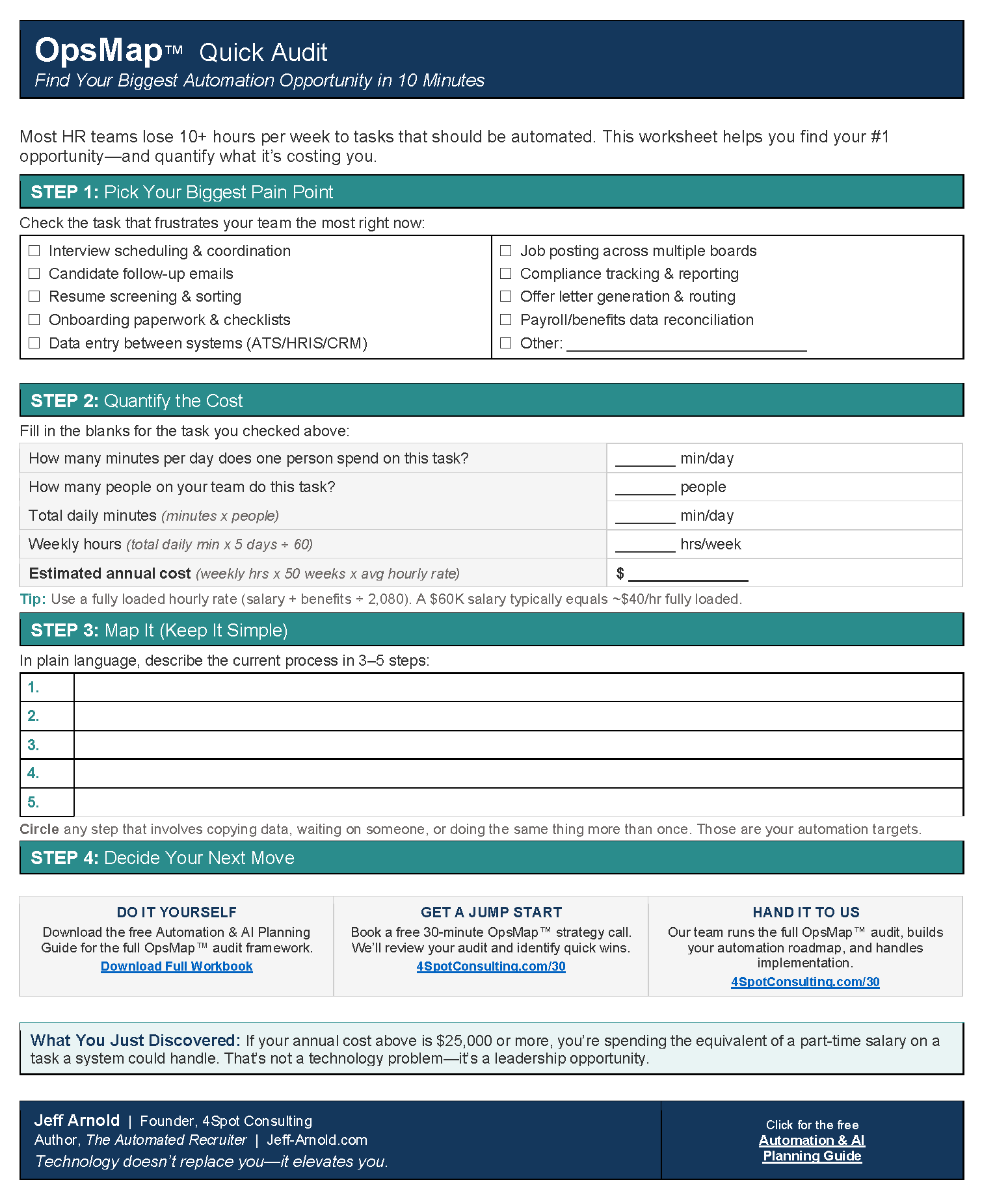
Walk through every step from requisition approval to the new hire’s first day: who does what, in which system, and where work waits. Write down every handoff and every place someone retypes data. At 4Spot this is the OpsMap™ stage of our OpsMesh™ framework, and it comes before any build.
2. Automate the structured steps first
Connect your ATS, calendar, email, HR system and payroll so data moves between them on its own. An automation platform such as Make.com connects these systems with visual scenarios, automatic retries and error routes that send failures to a person instead of dropping them. Our practical guide to HR automation covers this step in depth.
3. Clean and standardize your data
Duplicate candidate records, inconsistent job titles and free-text fields give AI bad inputs, and bad inputs produce bad recommendations. Remove duplicates, standardize the fields AI will read, and retire tools that hold the same data twice. An audit of your HR tech stack shows where the duplicate data lives.
4. Pick one AI task with a clear output
“Summarize each phone screen against these five scorecard criteria” is a task. “Use AI in hiring” is not. Choose one task that repeats every week, has a clear right answer and produces mistakes a recruiter catches before a candidate sees them. If the task needs AI to take actions across systems, our guide on how to create an AI agent for your business walks through the build.
5. Keep a person in the loop
Run the AI in suggest-only mode first: it drafts, a recruiter approves. Nothing reaches a candidate until a person has looked at it. Make.com supports an approval step in the middle of a scenario, and this walkthrough shows how to add a human approval step in Make.
6. Test it on past hiring
Run the AI against past requisitions where you already know the outcome. Compare its output with what your team decided, and compare its results across candidate groups. Keep it out of live hiring until the test results hold up.
7. Tell candidates
Say where AI is used in your process and how a candidate reaches a person. New York City and Illinois both require notice in the situations their laws cover, as described above.
8. Log everything and review a sample
Keep a record of what the AI produced and what the recruiter did with it. Review a sample every week, and retest whenever the AI vendor changes or replaces the model behind the tool.
Which recruiting tasks should you hand to AI first?
Start with tasks where AI drafts or organizes and a person approves: interview scheduling, job post drafts, interview summaries, resume parsing and answers to common candidate questions.
Good first tasks:
- Interview scheduling and rescheduling
- First drafts of job posts from the hiring manager’s intake notes
- Interview summaries organized against your scorecard
- Resume parsing into ATS fields
- Answers to common candidate questions, with a clear path to a person
- Checks for missing documents during the offer and onboarding handoff
Hold these until you have audits, notices and human review in place:
- Automated rejections
- Candidate ranking or scoring
- Analysis of video interviews, voice or facial expressions
- Personality or culture-fit predictions from a candidate’s writing
The test is simple. If the AI gets it wrong, does a candidate get hurt before a person notices? If the answer is yes, that task waits.
Expert Take
The AI I trust in hiring makes recruiters faster at their own judgment instead of replacing it. A summary that lines up a candidate’s answers against the scorecard saves the hiring manager time and keeps the decision with them. A bare score with no explanation does the opposite. It hands the decision to software nobody on the team can question, and that is the setup I steer clients away from.
How do you know AI in recruiting is working?
You know AI in recruiting is working when you measure the same numbers before and after it goes live: recruiter hours per hire, time to first response, time to fill, data errors between systems and pass-through rates by candidate group.
- Recruiter hours per hire. Track how much recruiter time each filled role takes.
- Time to first response. Measure how long a candidate waits to hear anything after applying.
- Time to fill. Measure the days from approved requisition to accepted offer.
- Data errors. Count corrections needed when candidate and offer data move between the ATS, the HR system and payroll.
- Pass-through rates by group. Compare the share of applicants from each group who advance at each stage. A large difference is a signal to stop and review the tool.
- Candidate drop-off. Watch where candidates abandon the process, especially at any step an AI tool handles.
Take the baseline before you change anything. Without it, nobody can say whether the AI helped.
Frequently asked questions
Will AI replace recruiters?
No. AI takes over the reading, sorting, scheduling and drafting that fill a recruiter’s day, so recruiters spend more of their time with candidates and hiring managers. Technology doesn’t replace people – it elevates them.
Is it legal to use AI to screen resumes?
It depends on where you hire and how the tool works, and some places add AI-specific requirements. New York City requires a bias audit and notices for automated employment decision tools, and Illinois requires notice and bars AI use that has a discriminatory effect. Confirm the rules where you hire with employment counsel before you use AI to screen.
Do you need a new AI recruiting platform?
Not always. Many ATS platforms already include AI features, and an automation platform such as Make.com connects AI models to the systems you already use. Start with the process and the data, then choose tools that fit them.
What is the difference between AI and automation in recruiting?
Automation follows rules you set in advance, such as sending a confirmation email when someone applies. AI handles input that is different every time, such as reading a resume or summarizing an interview. The strongest recruiting setups use automation to move the data and AI to interpret it.
Should candidates be told when AI is used?
Yes. Telling candidates where AI is used and how to reach a person builds trust, and both New York City and Illinois require notice in the situations their laws cover.
How 4Spot Consulting helps HR teams use AI in recruiting
4Spot Consulting maps your hiring process, connects your recruiting systems on Make.com, and adds AI only where it saves your team time without taking decisions away from your recruiters.
We start with an OpsMap™ to find where recruiter time goes and where data gets retyped. Then we build the automations that connect your ATS, calendar, email and HR system, add AI to the tasks that fit, and set up the review steps and logs that keep a person in charge. Every build fits into OpsMesh™, our overarching system for turning fragmented systems into a single, reliable operating fabric. You can see how we work with HR leaders on our site.
If you want to talk through where AI fits in your hiring process, contact us, or grab a time on my calendar at 4SpotConsulting.com/30.